
IPTV Smarters Pro: Setup, Tips, and Best IPTV Service
IPTV Smarters Pro is one of the most popular players for Smart TV, Android TV, mobile, and desktop. This guide shows how to set it up and why Smarter IPTV is a great service to pair with it.
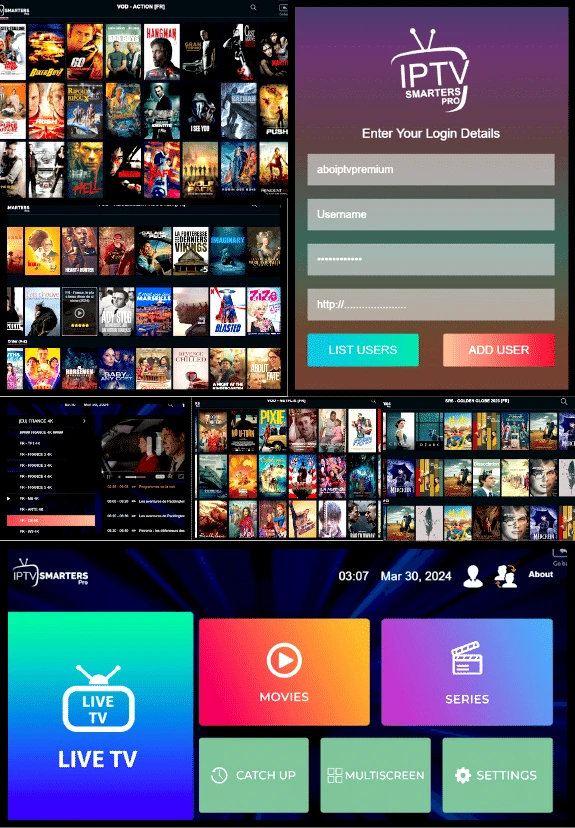
What is IPTV Smarters Pro?
IPTV Smarters Pro is a versatile IPTV player that works across Smart TVs, Android TV, Fire TV, mobile, and desktop. It lets you log in with either an M3U playlist or Xtream Codes and watch live TV, VOD, and series.
What you need to get started
- An IPTV subscription with valid credentials.
- IPTV Smarters Pro installed on your device.
- Your IPTV details: M3U URL or Xtream Codes (server, username, password).
- Stable internet: 10 Mbps+ for HD, 25 Mbps+ for 4K.
How to set up IPTV Smarters Pro
- Install IPTV Smarters Pro on your device.
- Open the app and choose M3U or Xtream Codes login.
- Enter your credentials and load the playlist.
- Wait for channels and EPG data to sync.
Why choose Smarter IPTV
- Reliable streaming with anti-freeze optimization.
- Large HD/4K channel and VOD library.
- Compatible with IPTV Smarters Pro and other popular apps.
- Fast activation and helpful support.
Recommended apps
Looking for alternatives or backups? Explore our curated apps list:
FAQ — IPTV Smarters Pro
Is IPTV Smarters Pro free?
The base app is often free, with optional premium features depending on platform.
Should I use M3U or Xtream Codes?
Both work. Xtream Codes often provides a cleaner EPG and categories, while M3U is universally supported.
Does it work on Smart TV?
Yes, and if your TV store does not have it, check our apps list for compatible alternatives.
Ready to use IPTV Smarters Pro?
Start with Smarter IPTV and get the app from our official page.